 Widgeteer
On Shopify: open Widgeteer from Apps in your Shopify admin. The steps are the same from there.
Your tool isn’t on the list? Or you’re a developer and just want the data?
Use a webhook. Every submission goes to any URL you like, shaped how you like.
Open your widget, click Create action under When someone submits this widget, then pick Webhook.
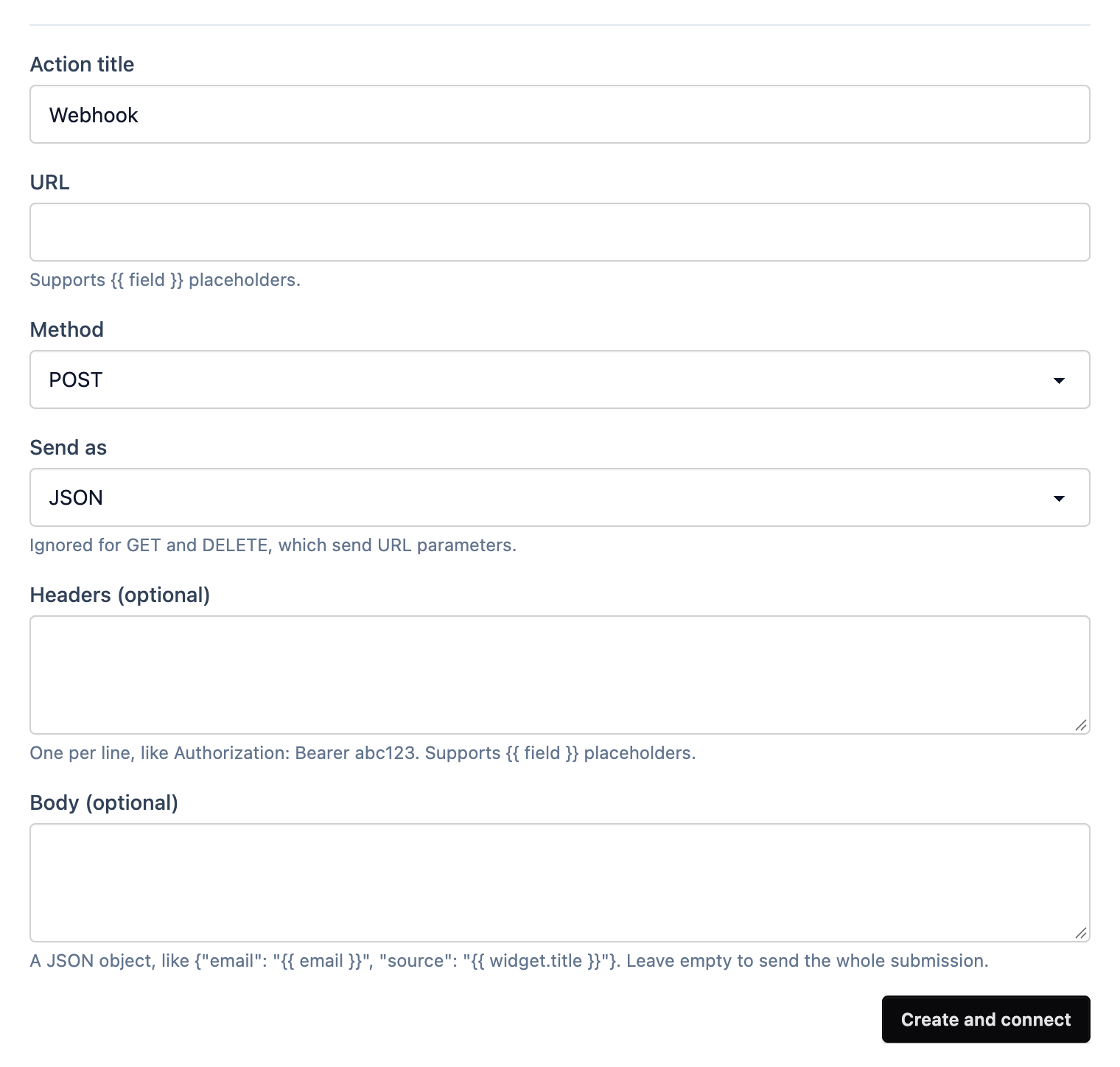
- Give it a title you’ll recognise.
- URL is where it goes. It can include placeholders, like
https://example.com/leads?email={{ email }}. - Method is POST unless you need something else. GET and DELETE send the fields as URL parameters.
- Send as JSON or form data.
- Headers go one per line, like
Authorization: Bearer abc123. - Body is optional. Leave it empty to send the whole submission, or write your own JSON, like
{"email": "{{ email }}", "source": "{{ widget.title }}"}. More on templates. - Click Create and connect.
Submit a test from the preview and watch it arrive.