 Widgeteer
On Shopify: open Widgeteer from Apps in your Shopify admin. The steps are the same from there.
A form is only as good as its questions.
So every Widgeteer form comes with 13 answer types, checks built in, and two tricks most form builders charge extra for.
Open your widget and click a question. Pick its Answer type.
What your visitors fill in
- text: a short answer, like a name.
- multiline text: room to explain. Messages, notes, “anything else?”.
- email: checked before it sends, so you don’t get
jo@gmail. - tel: a phone number, with the number pad on mobiles.
- number: guests, quantity, budget.
- date: a proper date picker.
- rating: tap one to five stars.
- checkbox: a single tick, like “I agree to be contacted”.
- choice: pick one from a list.
- multiple choice: pick as many as they like.
- dropdown: pick one from a tidy menu, good for long lists.
Tick Required on anything you can’t do without. The form won’t send until it’s filled in, and tells the visitor what’s missing.
Choices and dropdowns
For choice, multiple choice and dropdown, you get a Choices box. One choice per line. No fiddly add buttons.
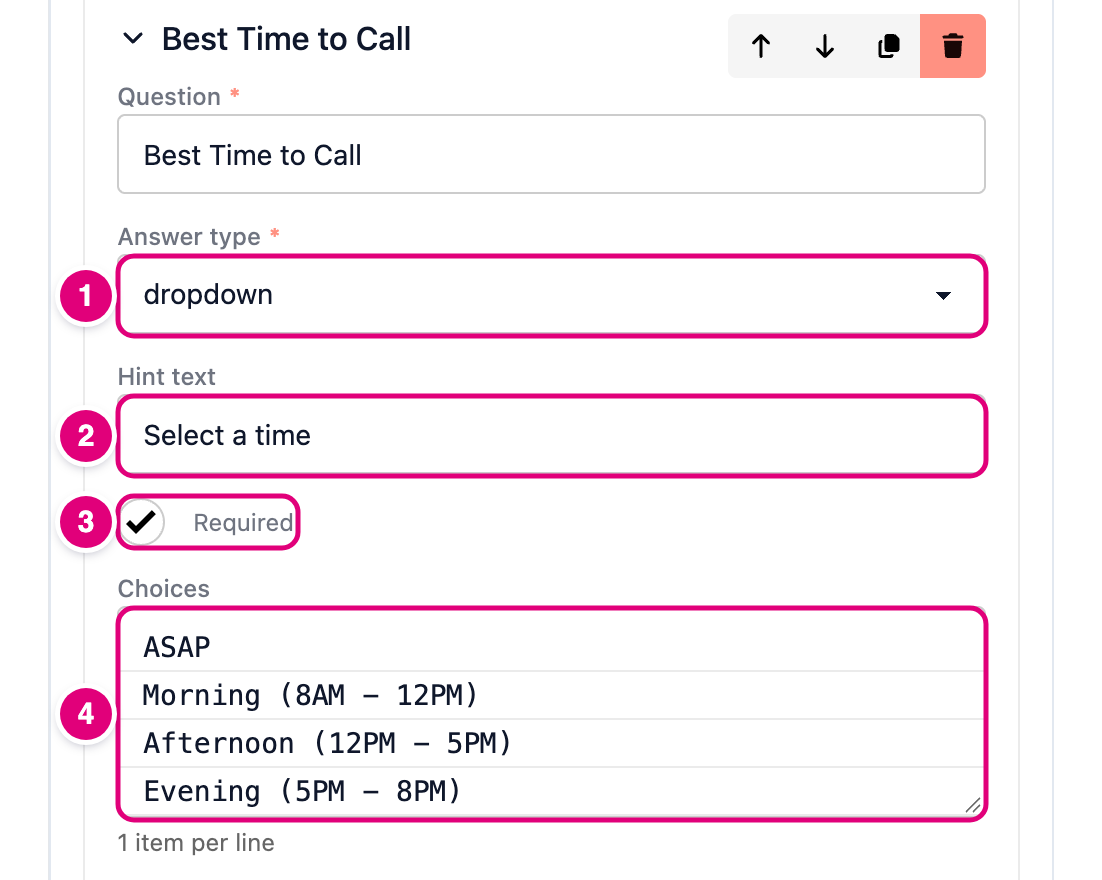
- Pick the answer type.
- Hint text shows in the empty box, like “Select a time”.
- Required, if you need an answer.
- Type the choices, one per line. Change the order by moving the lines.
Track where people came from (UTM)
Running ads? Posting the link on Instagram? You want to know which one brought the lead.
Add a question with the answer type auto-filled, and name it after the link’s parameter, like utm_campaign.
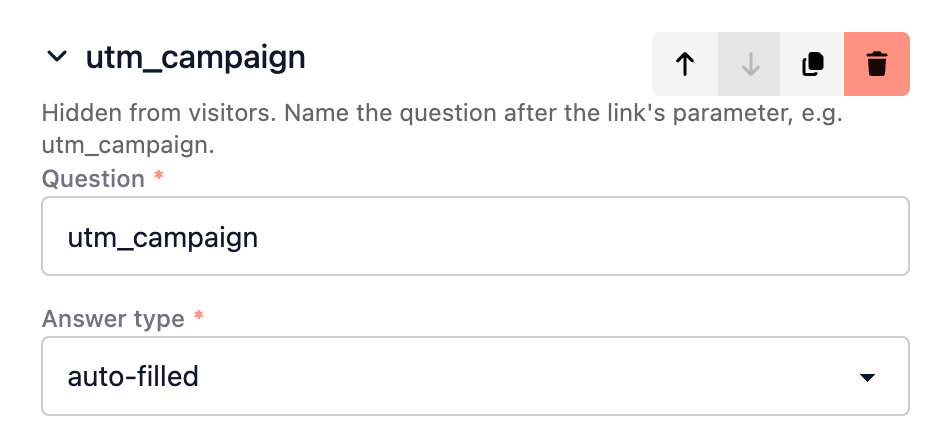
Now a visit to yoursite.com/?utm_campaign=spring_sale sends spring_sale with the submission. Your visitor sees nothing.
- Works with any parameter:
utm_source,utm_medium,ref,gclid, your own. - It’s forgiving. A question called “Campaign name” picks up
campaign_name,campaign-nameorCampaign Name. - No parameter in the link? It’s simply left empty.
Send a fixed value (hidden)
Same form on three pages? Tag each one.
Add a question with the answer type hidden, and fill in its Value.
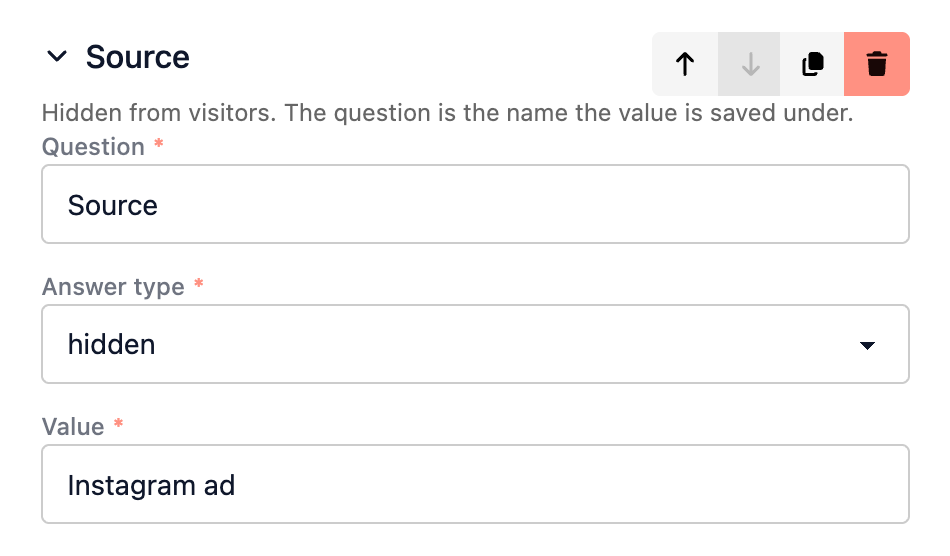
Every submission now carries Source: Instagram ad. Handy for sorting leads in your inbox, Zapier or Airtable.
Good to know
- Steps. Long form? Turn on Split into steps in Settings and it shows a few questions at a time, with a progress bar. More on settings.
- Every answer is saved, even if an email goes missing. See them all.
- Need it somewhere else? Actions send submissions to email, Zapier, Airtable, Telegram and more.
Limitations
- File uploads. Your visitors can’t attach a photo or a CV just yet.
We know it matters. Tell us what you’d use it for at hello@widgeteer.ai.