 Widgeteer
On Shopify: open Widgeteer from Apps in your Shopify admin. The steps are the same from there.
Some changes are a chore by hand. A new field, a different layout, a whole extra step.
So just ask. Widgeteer makes the change for you.
Open your widget from Widgets.
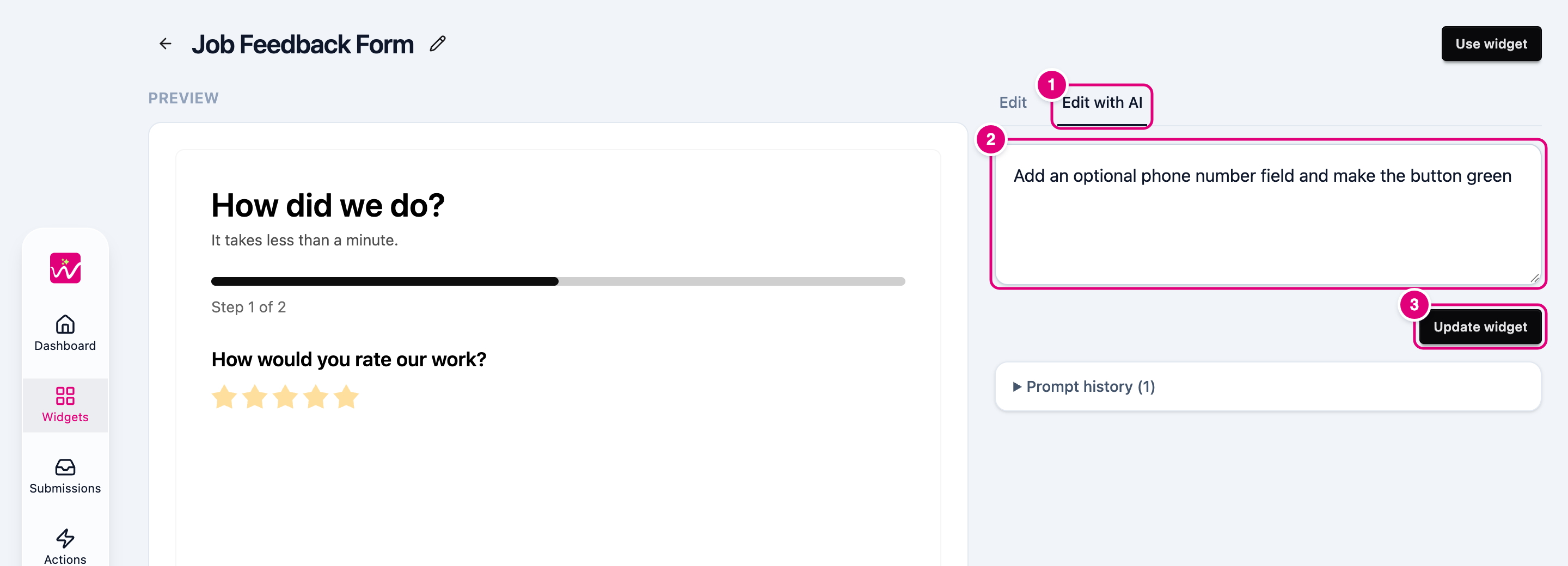
- Click the Edit with AI tab.
- Say what to change. For example, “add an optional phone number field” or “make the button green”.
- Click Update widget. Not quite right? Ask again.
Every request is kept in Prompt history, so you can see what changed and when.
Good to know: each plan includes a number of AI edits per widget. Hand edits on the Edit tab never count.