 Widgeteer
On WordPress: click Widgeteer in your dashboard menu. Saved changes show on your site straight away.
Spotted a typo? Want a different question?
No need to ask the AI for that. Every widget has an editor, and hand edits are free and unlimited.
Open your widget from Widgets.
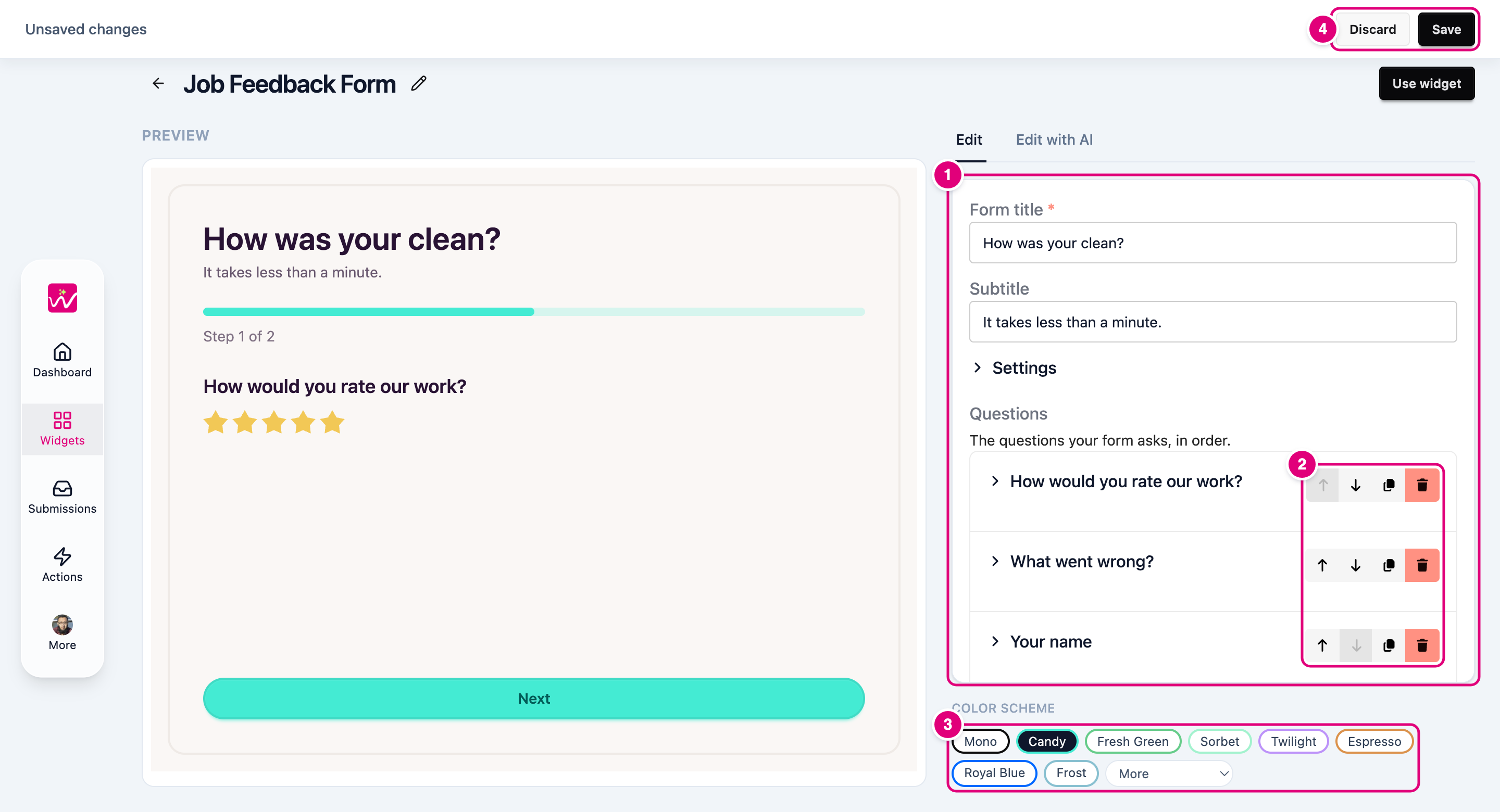
- Change any text, question or setting.
- Move, copy or remove questions.
- Pick a colour scheme. More has the rest of them.
- Click Save at the top. Or Discard to undo it all.
Change a question
Click a question to open it.
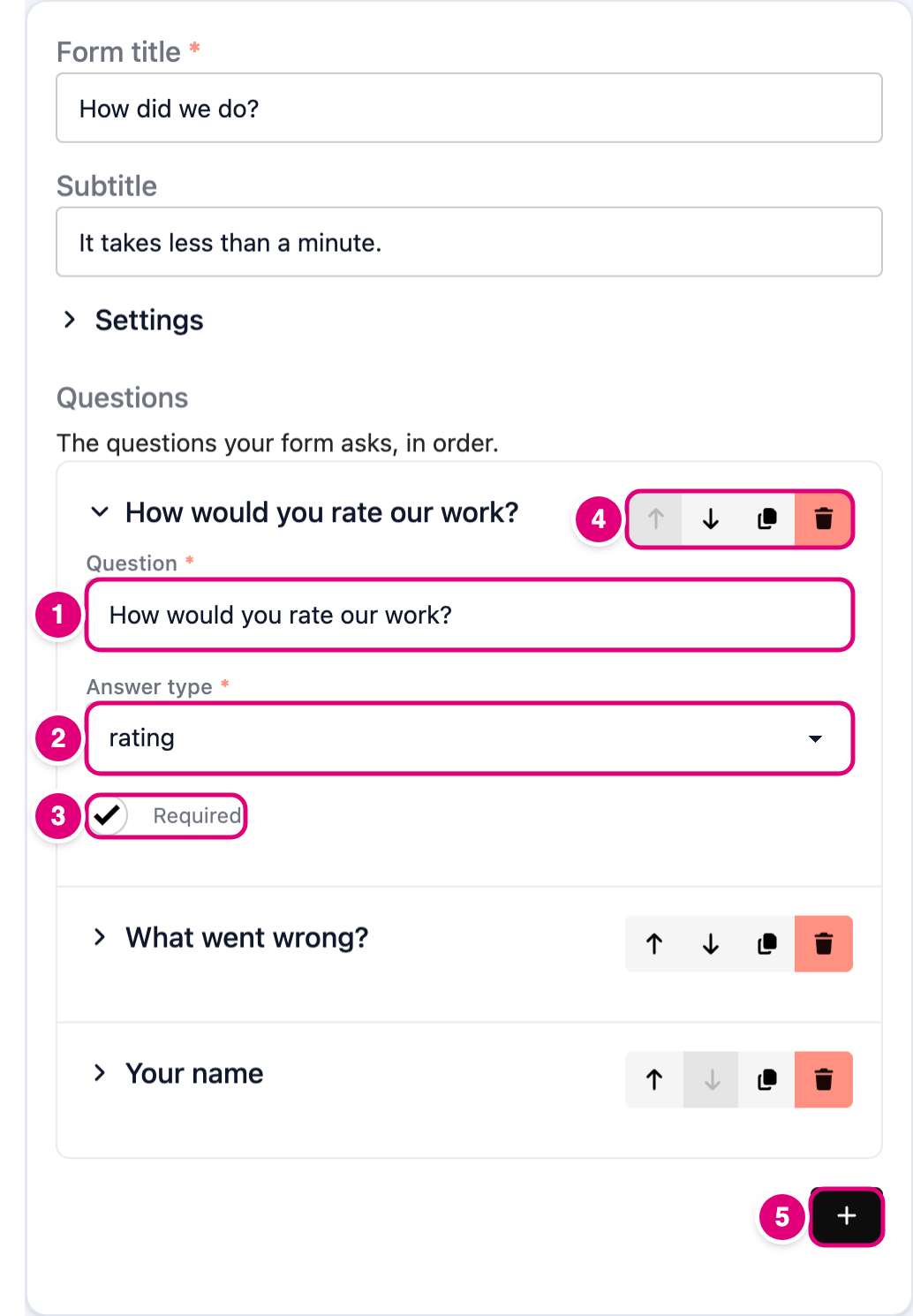
- Question is what your visitor reads.
- Answer type decides how they answer: text, long text, email, phone, number, date, star rating, a tick box, one choice, several choices or a dropdown.
- Required stops the form sending until it’s answered.
- Move the question up or down, copy it, or delete it.
- + adds a new question at the end.
There are 13 answer types, including two your visitors never see. Every one is in the form fields guide.
Change messages and buttons
Click Settings at the top of the form.
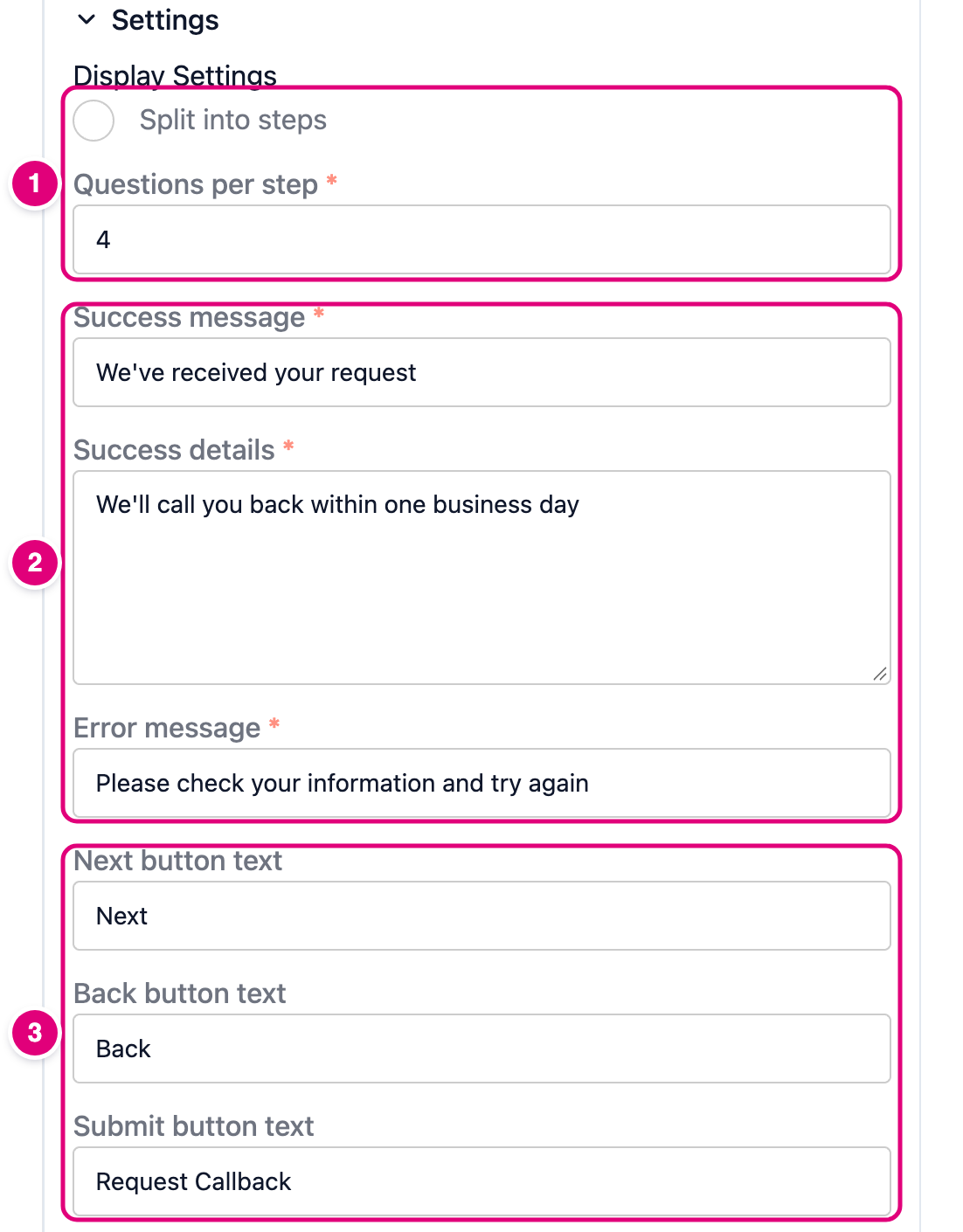
- Split into steps shows a few questions at a time, Typeform style, with a progress bar. Set how many per step.
- What people see after they submit, and if something goes wrong.
- The words on the Next, Back and submit buttons.
Some widgets have extra wording of their own under these, like the Google review link on a feedback form. Same idea: change the text, save.
Want a bigger change, like a new layout? Change it with AI instead.