 Widgeteer
On WordPress: click Widgeteer in your dashboard menu. The steps are the same from there.
You’ve got an idea for a widget. You don’t have a developer.
You don’t need one. Describe it the way you’d text a friend.
Click Create widget on your dashboard.
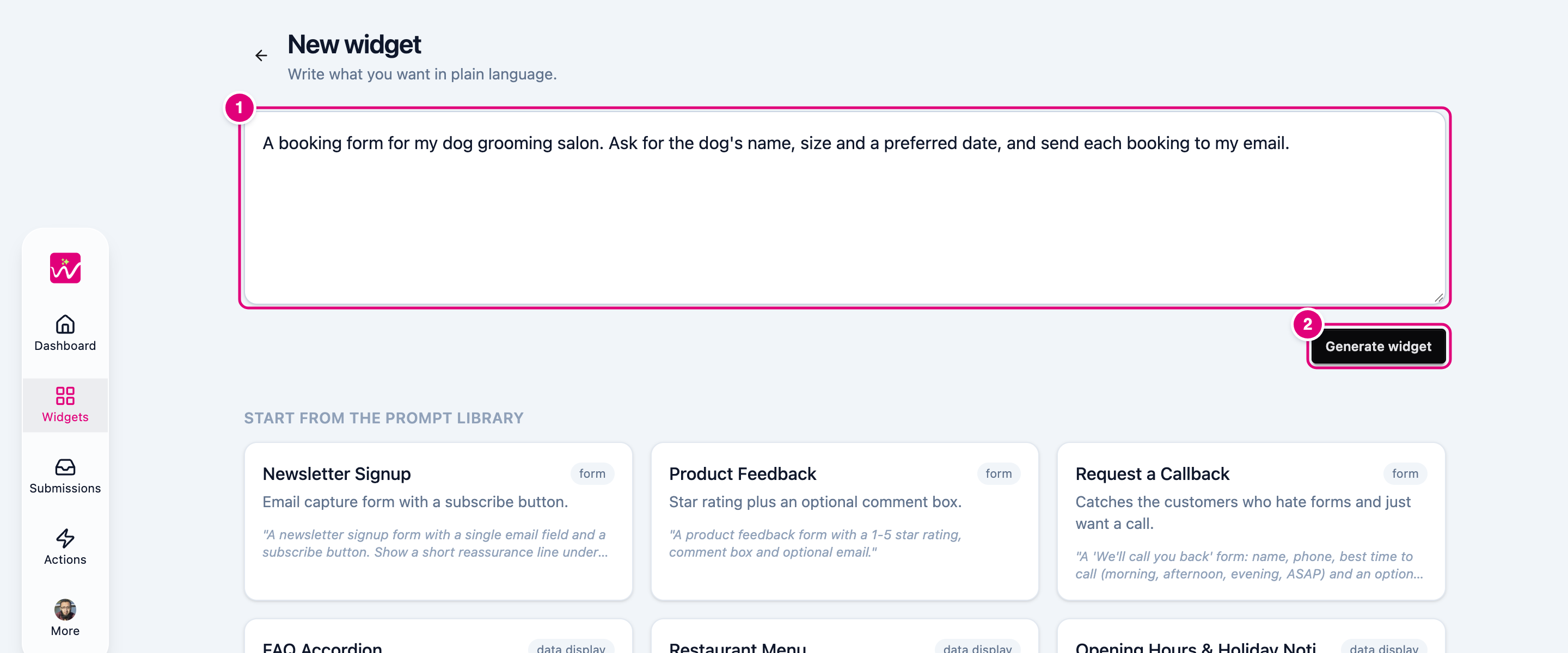
- Describe it in your own words. Say what it’s for and what it should ask.
- Click Generate widget. A few seconds later your widget opens with a live preview.
Not sure what to write? Pick an idea from the prompt library under the box and tweak it.
Next, preview your widget.