
Lifetime deal on  AppSumo
Pay once. Sorted for life.
Black FridayUp to 25% off on top. Ends 30 November.
$176$49



Fluent Forms vs Bit Form
We made the same enquiry form in the free versions of both. One drafted it from a sentence in seconds, the other gave us more for free and took far longer.
Tested by us on 20 November 2026

The short version
Which free form plugin gets you there?
We make Widgeteer, so we are not neutral. We did build the same form in both, and this is what each free version did.
Fluent Forms is far quicker. Bit Form gives away more.
The test
A plain form with all the fiddly parts
A new client form for a dog groomer. Two steps, three follow-up questions, picture cards, no Sundays, required answers and a tracking tag.
Nothing exotic. It is the kind of form a small business asks for every week.
We typed, in every tool
new client enquiry form for my dog grooming salon. 2 steps. step 1: name, email, phone, how did you hear about us (Google, a friend, Instagram, other) and only if they pick other ask where. step 2: dog's name, size (small, medium, large) as picture cards, which service (full groom, bath and tidy, nail trim) and only if they pick full groom ask about matting (none, some, a lot). is your dog nervous (yes, no) and only if yes ask what helps. preferred day, no Sundays. name, email and phone are required. save utm_source from the page address.
No sums. Just the fiddly parts of a real form: steps, follow-up questions, a date rule and a tracking tag.
Fluent Forms
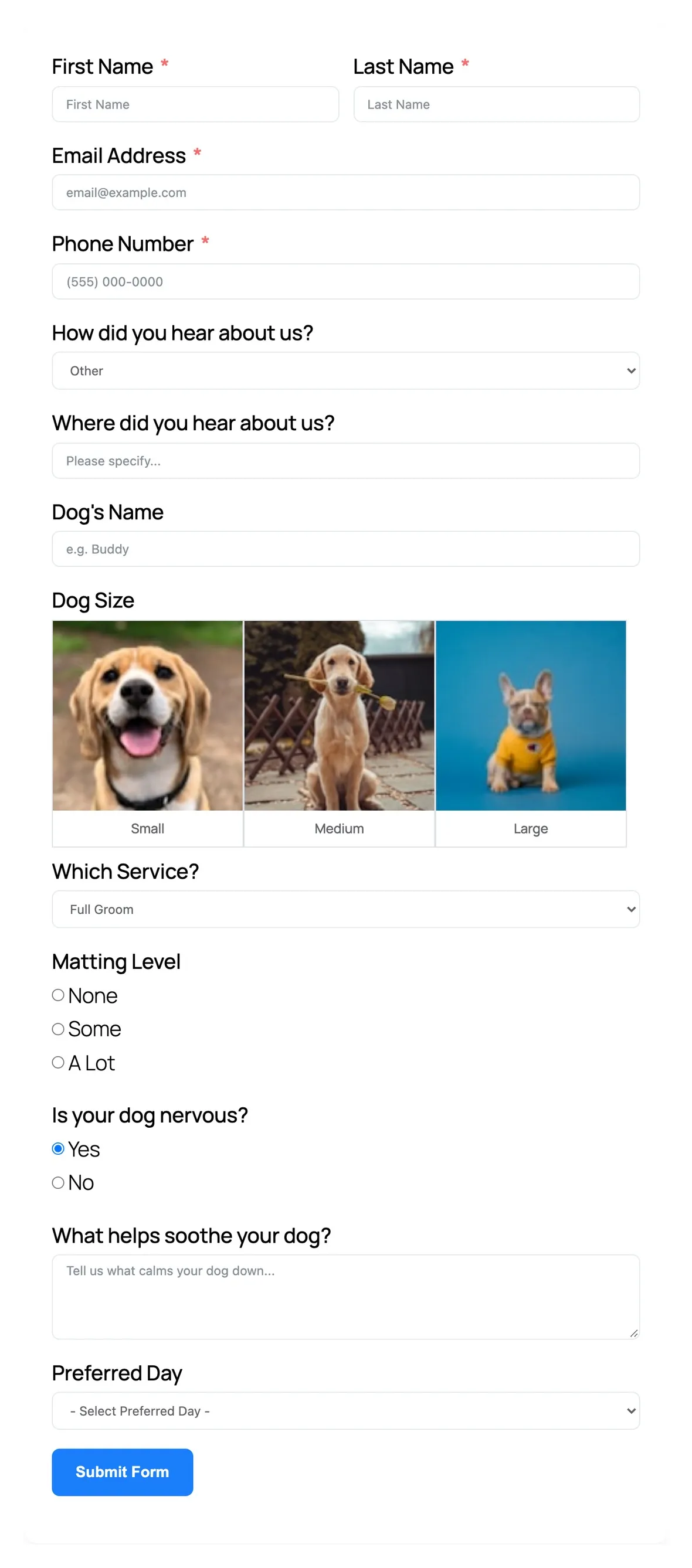
A draft in 14 seconds, from the sentence
Its free AI builder took the sentence as written. All three follow-up questions appear only for the right answer. Dog size came as picture cards with photos. The day is a list from Monday to Saturday, so no Sundays.
Two things did not arrive, and nothing said so:
- The two steps. Everything is on one long page. Steps are listed as Pro.
- The tracking tag. The hidden field was there. We opened the page from a tagged link and it stayed empty.
The email notification on the form it built was switched off, so enquiries would be saved and nobody told.
Bit Form
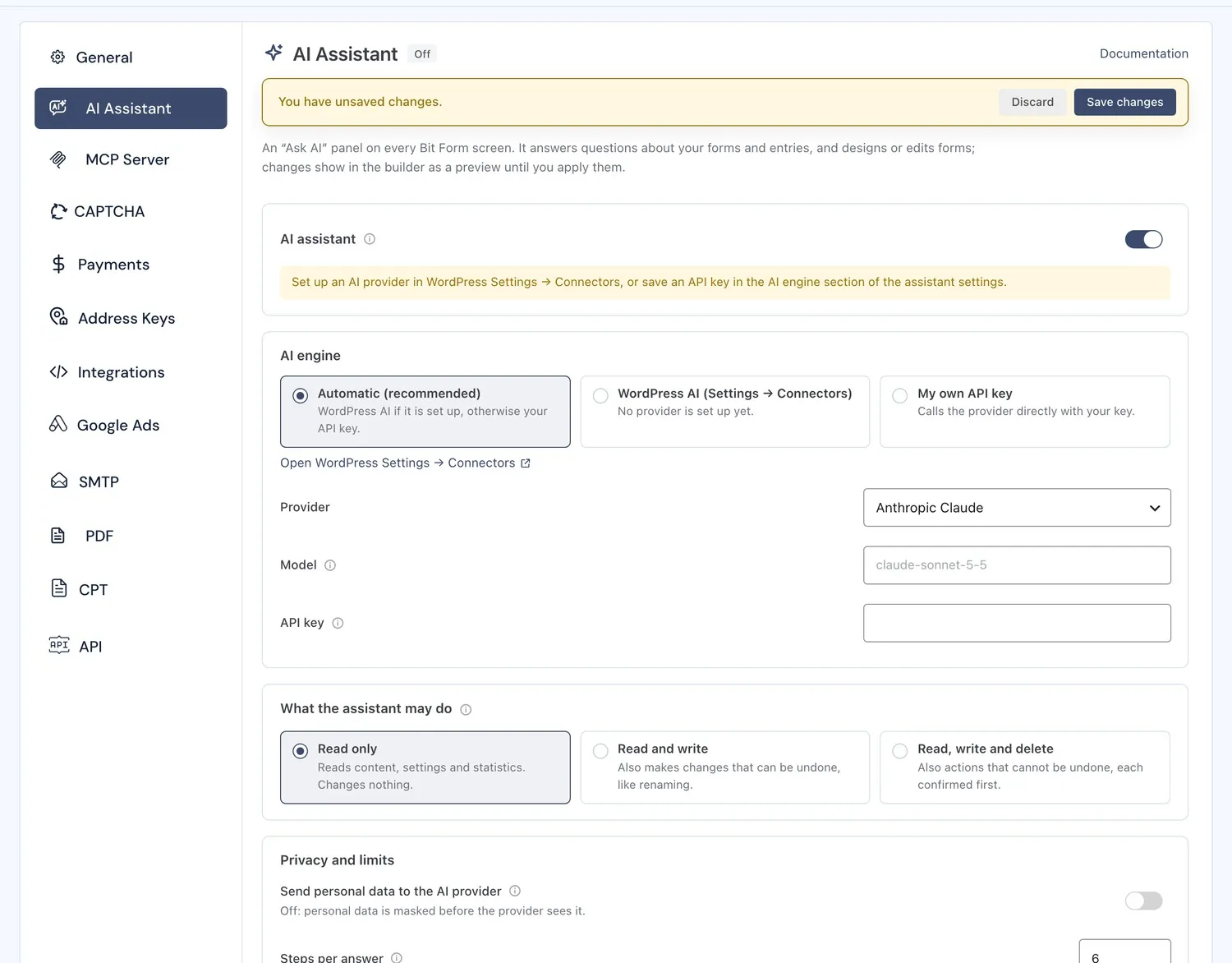
No sentence. The AI wants your own key
Bit Form has an AI assistant, and it is off until you connect it. That means choosing an AI engine, a provider and a model, and pasting in an API key.
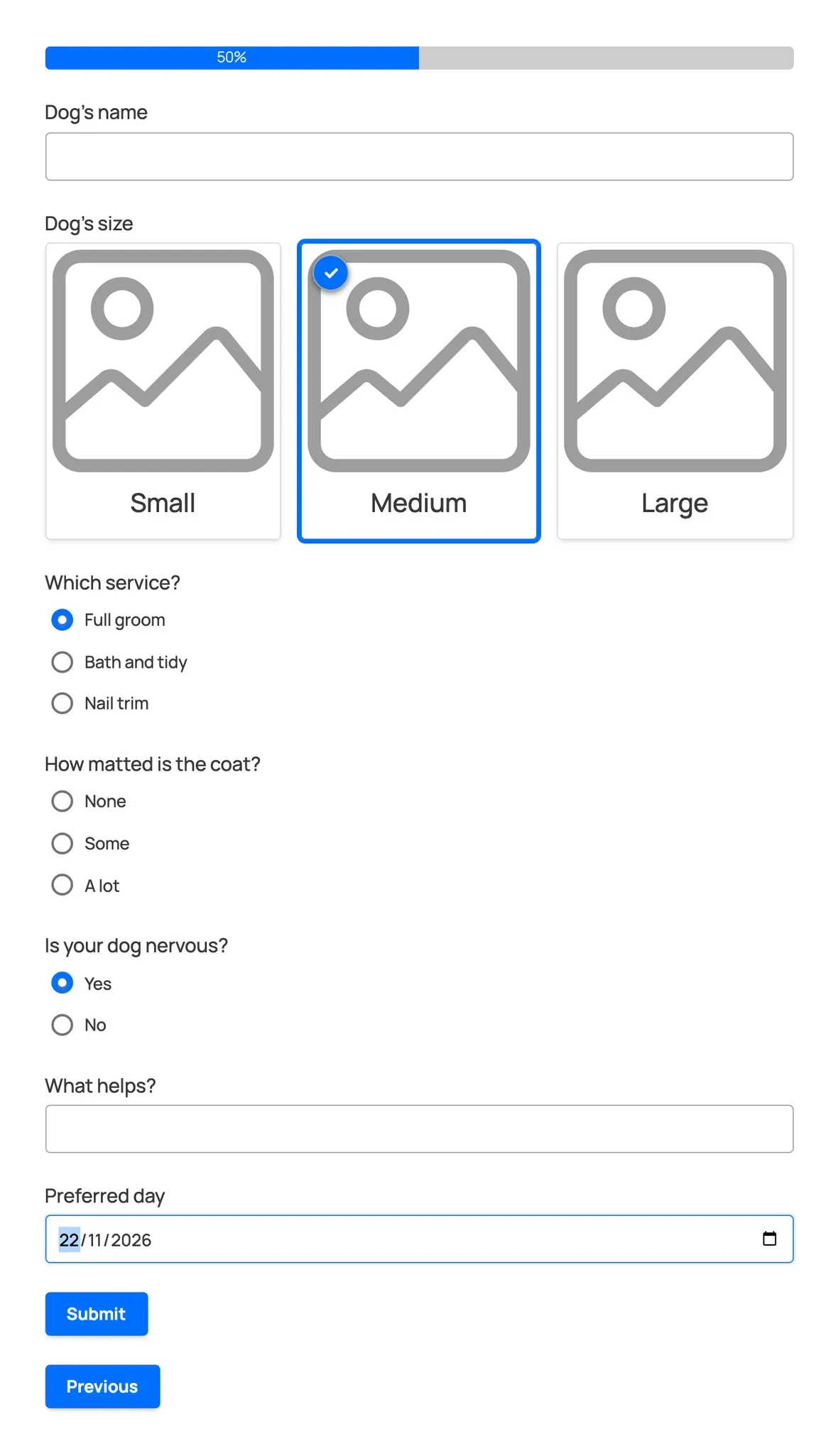
So we built the form by hand. It took us about a quarter of an hour, knowing the builder. We would allow half an hour the first time.
Bit Form
By hand, it gave us more for free
Two real steps with a progress bar, free. Three show and hide rules that worked on the live page. Red stars on the required answers. The tracking tag saved “newsletter” from the page address, which Fluent Forms did not manage.
It also cost us more care:
- Submit sat on step one. Adding a second step left the Submit button behind. Moving it is in a right-click menu.
- No Sundays. We found no way to block a day of the week. A date range is listed as Pro.
- The tracking tag is code. The hidden field wanted
${_bf_query_param(utm_source)}typed in. - Picture cards come empty. You upload your own pictures. We left the placeholders in.
- No email yet. On an earlier form, nothing was sent until we wrote an email template.
The builders
What you will be looking at
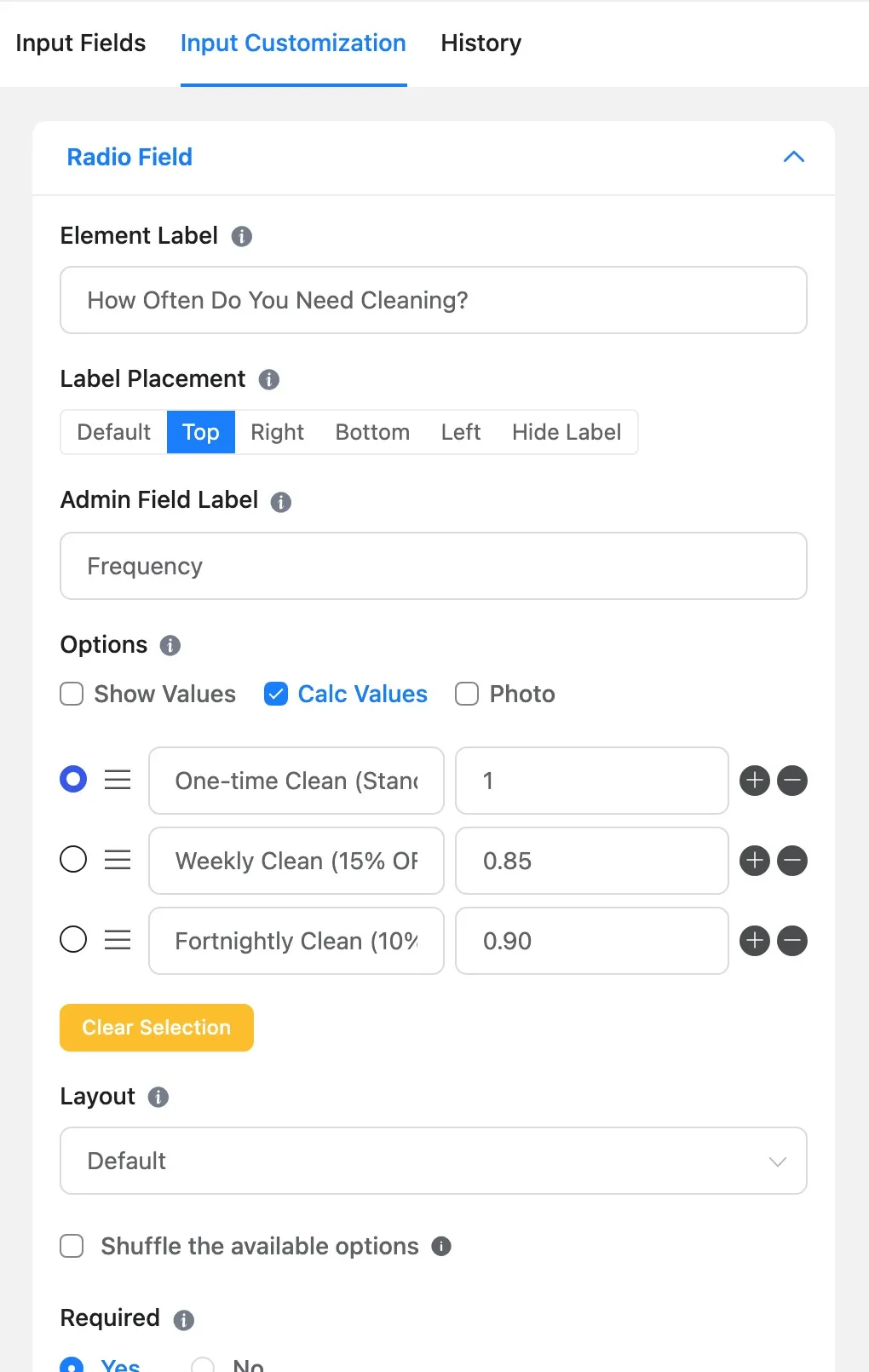
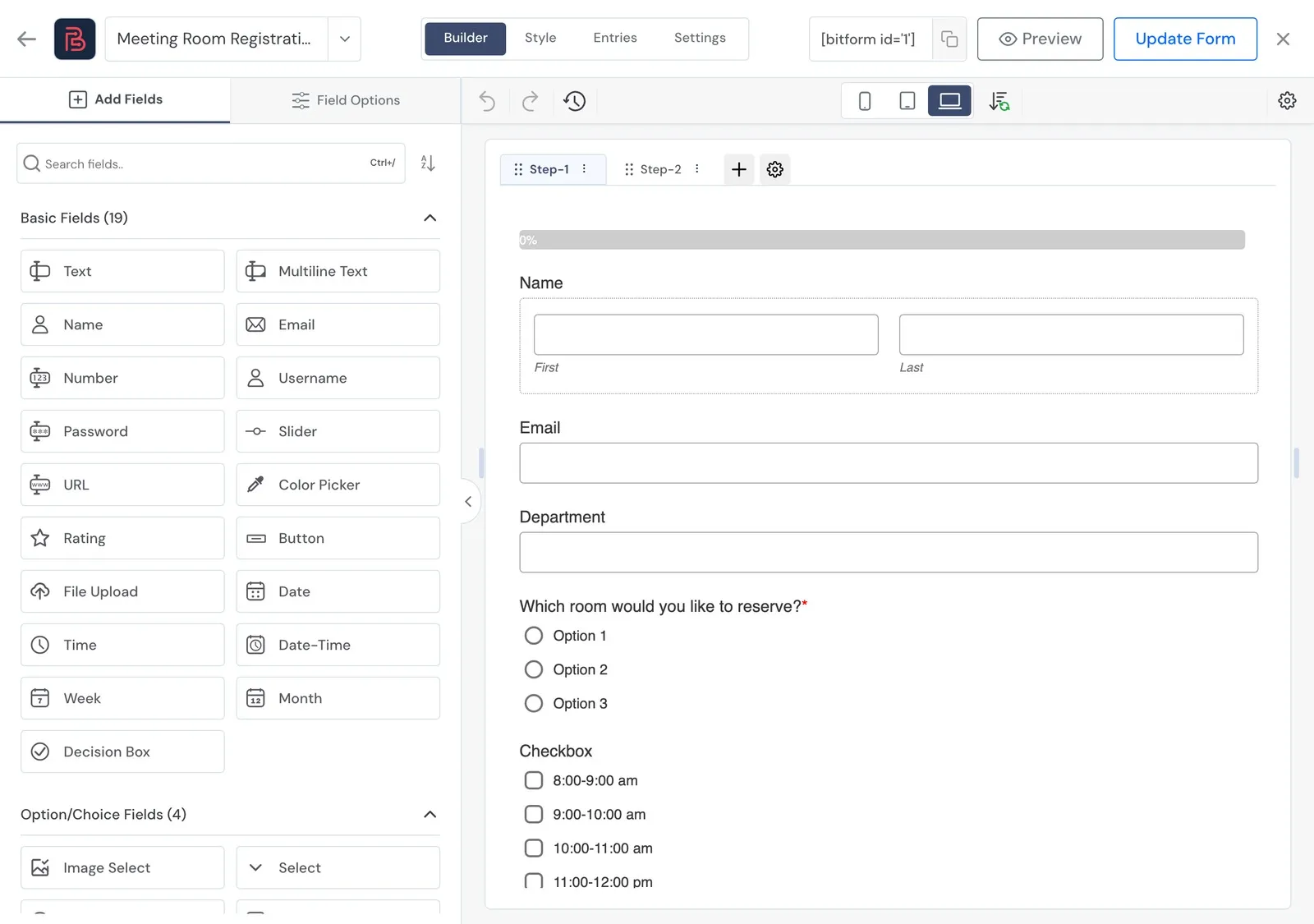
Both are form builders in the usual sense. A list of field types, a canvas, and a settings panel for whichever field you click.
Fluent Forms is the calmer of the two. Bit Form shows more controls at once, and gives more of them away.
Which one
Pick the right one for the job
Pick Bit Form if
- You need steps or file uploads without paying.
- You want free control over how every field looks.
- You do not mind building by hand, or you already have an AI key.
- You want the tracking tag saved, and can type one line of code.
Pick Fluent Forms if
- You want a draft from one sentence, with no key.
- Your form fits on one page.
- You want a calmer editor.
- You are happy to switch the email on yourself.
Or neither
The same sentence in Widgeteer
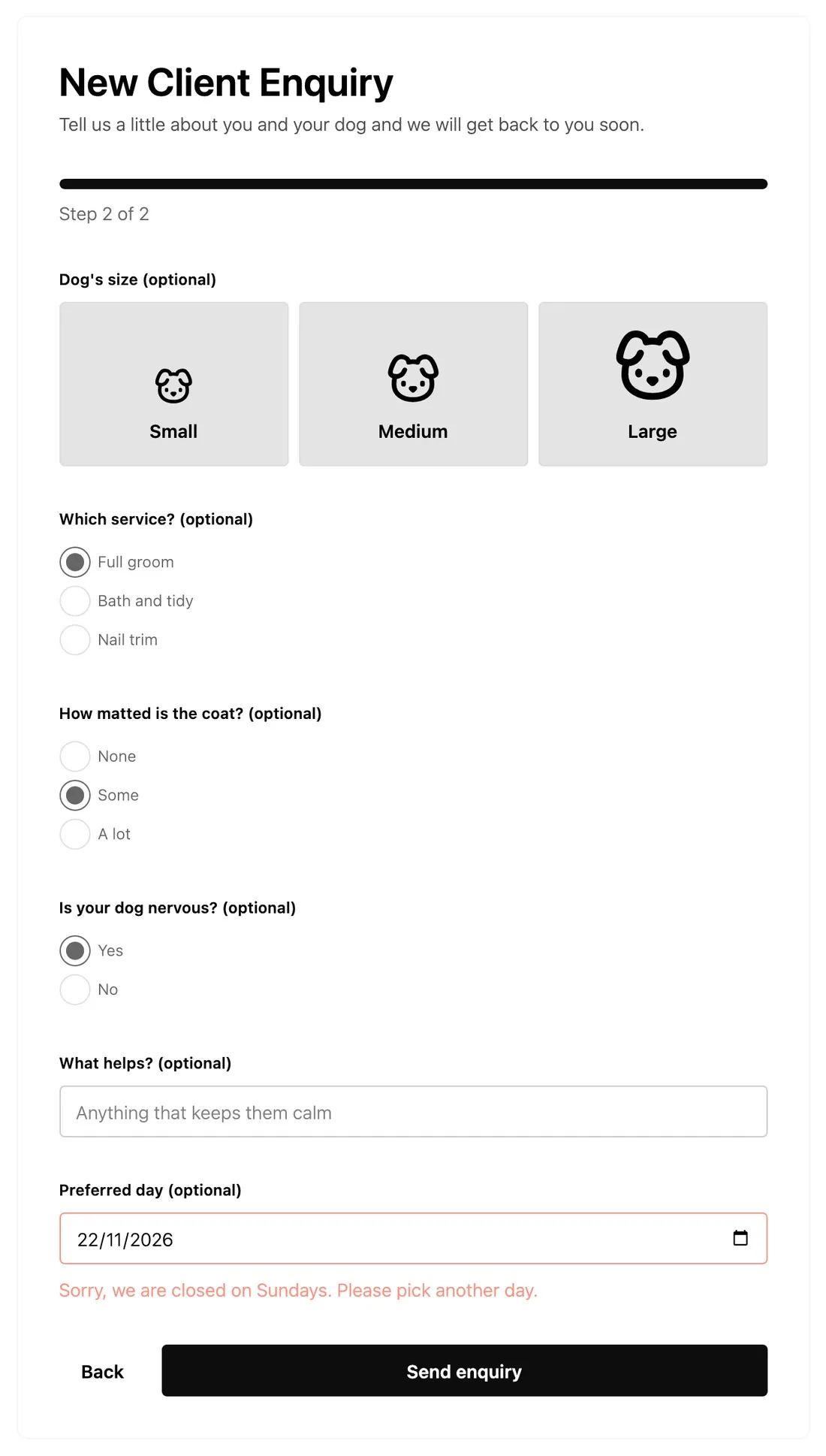
This is our own product, so weigh it as you like. We typed the same sentence. Two steps, the three follow-up questions, picture cards and a Sunday message came back in a minute or two. One click on “Email owner” and the enquiry reached our inbox, with the tracking tag on the last line.
It was not perfect. The dog’s name landed on step one, and Widgeteer cannot take file uploads yet.
Side by side
All three, free version against free version
How we tested
Fluent Forms free 6.2.17 and Bit Form free 3.5.0, on the same local WordPress site, on 20 November 2026. Fluent Forms built the form from the sentence above with its own AI builder. Bit Form’s AI needs a key, so we built the same form by hand from a blank form, which took about a quarter of an hour by the clock for someone who had used the builder once before. The half hour for a first time is our estimate, not a measurement.
We opened each form from a link tagged utm_source=newsletter. We did not test either Pro version, and we did not set up Bit Form’s email on this form. Widgeteer was its free plan in its WordPress plugin on the same site. All three change often, so your result may differ from ours.
Not in the table
What every Widgeteer widget comes with
No key to find, no password to remember and no server to run. These are part of every widget, on the free plan too.
Spam kept out, nothing to tick
Every submission passes a hidden check before it is saved or sent. No captcha keys for you, no puzzle for your visitors.
Email you can reply to
We send the email, so there is no mail plugin to set up. Hit Reply and it goes to the person who filled it in.
Send it anywhere
Email, Zapier, Make, n8n, Power Automate, IFTTT, Airtable, Telegram and Formspark are built in. A webhook reaches any other tool.
Every submission kept
Saved even when a delivery fails, with whether it was delivered, every answer and the page it came from.
Widgets that remember
One booking per slot, one vote per person, places that run out. The count is checked on our side, not in the visitor's browser.
Your theme cannot break it
Each widget is sealed off from your site's styles, so it looks the same on any theme. Save a change and your site shows it, with nothing to paste again.
35 colour schemes
One tap to change the look, and a switch to let your page's own background show through.
Ask in your own language
Write in the language you work in. The widget's wording comes back in that language.
Far more than forms
Calculators, quizzes, polls, countdowns, spin wheels, before and after sliders, pricing tables, FAQs and bookings. Start from a ready one if you like.
Say it. See it. Sorted.
Products change. If something here is out of date or unfair to Fluent Forms and Bit Form, tell us at hello@widgeteer.ai and we will fix it.
More comparisons
- Widgeteer vs ChatGPTChatGPT draws it. Widgeteer gets it sorted.
- Widgeteer vs ClaudeClaude builds it for you. Widgeteer builds it for your visitors.
- Widgeteer vs Fluent FormsFluent Forms drafts it fast. Widgeteer gets it sorted.
- Widgeteer vs Bit FormBit Form hands you the controls. Widgeteer hands you the form.
- Widgeteer vs ElfsightElfsight builds the calculator. Widgeteer takes the booking.