
Lifetime deal on  AppSumo
Pay once. Sorted for life.
Black FridayUp to 25% off on top. Ends 30 November.
$176$49



Widgeteer vs ChatGPT
We gave ChatGPT and Widgeteer the same sentence, and only one ended up on a website, sending bookings to an inbox.
Tested by us on 20 November 2026

Say it to sorted
From the idea to a visitor's message in your inbox
Widgeteer
A few minutes
Under two to build, one click for the email, then add it to your page.
ChatGPT
Not reached
About 30 seconds to a demo. After four replies, a plugin, 333 lines of code and mail setup were still to do.
The short version
What makes Widgeteer the better choice for your site?
ChatGPT is quicker to a first look. Everything after that is where they part.
The test
Same sentence in both, word for word
You run your own site. You need a quote calculator on it. ChatGPT is right there and it is free. Fair question: why would you use anything else?
So we tried it.
We typed, in every tool
quote calculator for my cleaning company. they pick home size (studio 60, 1 bed 80, 2 bed 110, 3 bed 150), extras as checkboxes (oven 25, windows 30, fridge 15), how often (once, weekly 15% off, fortnightly 10% off). show the total live as they choose. only ask for pets if they pick weekly. max 5 bookings per day, show days that are full as unavailable. then name, email, phone and send.
Then we picked 2 bed, oven, windows, weekly. The right answer: 165.00, less 24.75, is 140.25.
Round one
ChatGPT drew it in half a minute
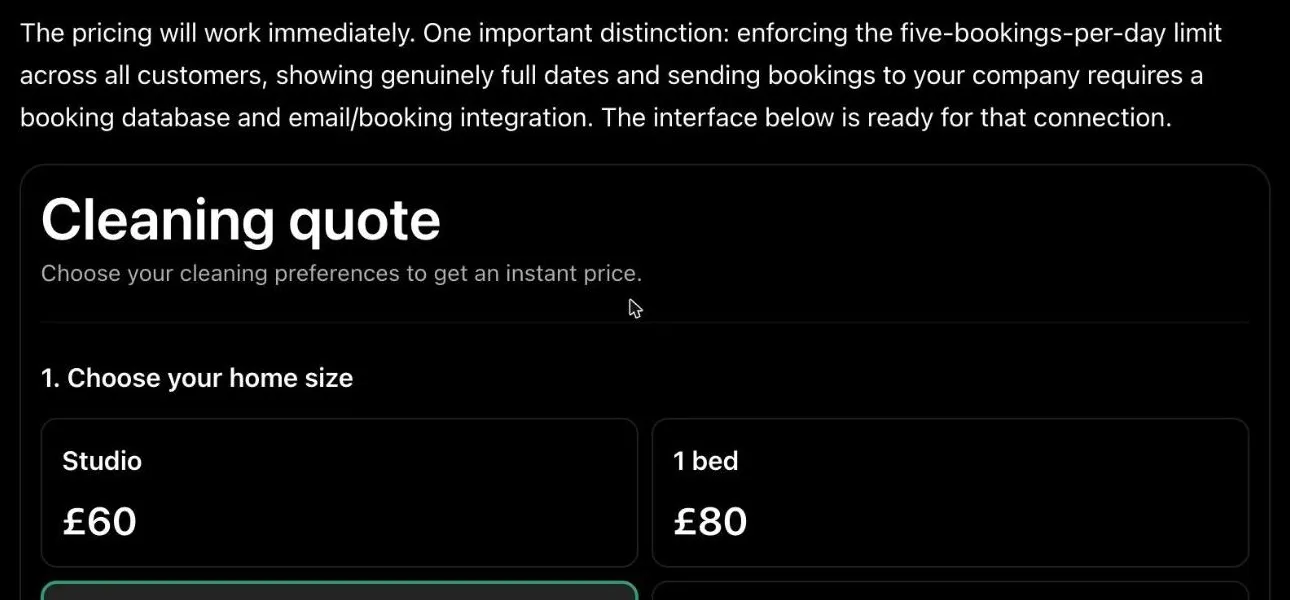
It was quick, and it was good. In about 30 seconds it drew a calculator you can click, right there in the chat. The sums were right: 165.00, less 15%, is 140.25. The pets question only showed up for weekly, as asked.
It was also honest from its first line. The pricing would work straight away, it said, but holding each day to five bookings and sending bookings to us needs a booking database and an email connection.
If all you need is to see the idea, you can stop here. ChatGPT wins.
The small print
Then it listed what was left to do
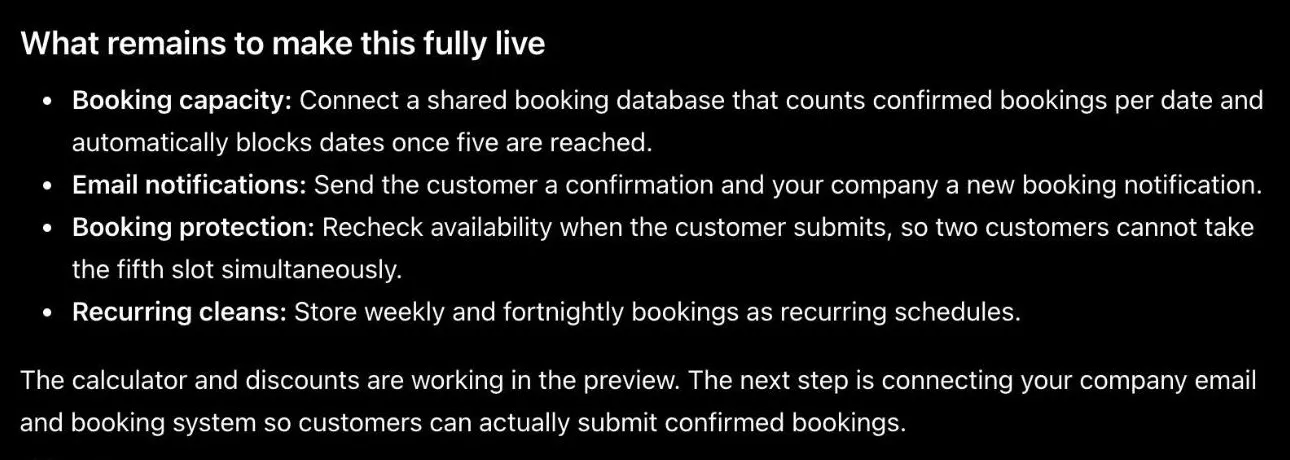
Under the calculator came a list headed “What remains to make this fully live”. A shared booking database. Email notifications. A second check when someone submits, so two people cannot take the last place. Somewhere to keep repeat bookings.
A calculator that lives in a chat is a picture of a calculator.
Add it
We put its code on a WordPress page
We asked for the code. It gave us about 400 lines of HTML, styling and script for a Custom HTML block, and we pasted it in, unchanged.
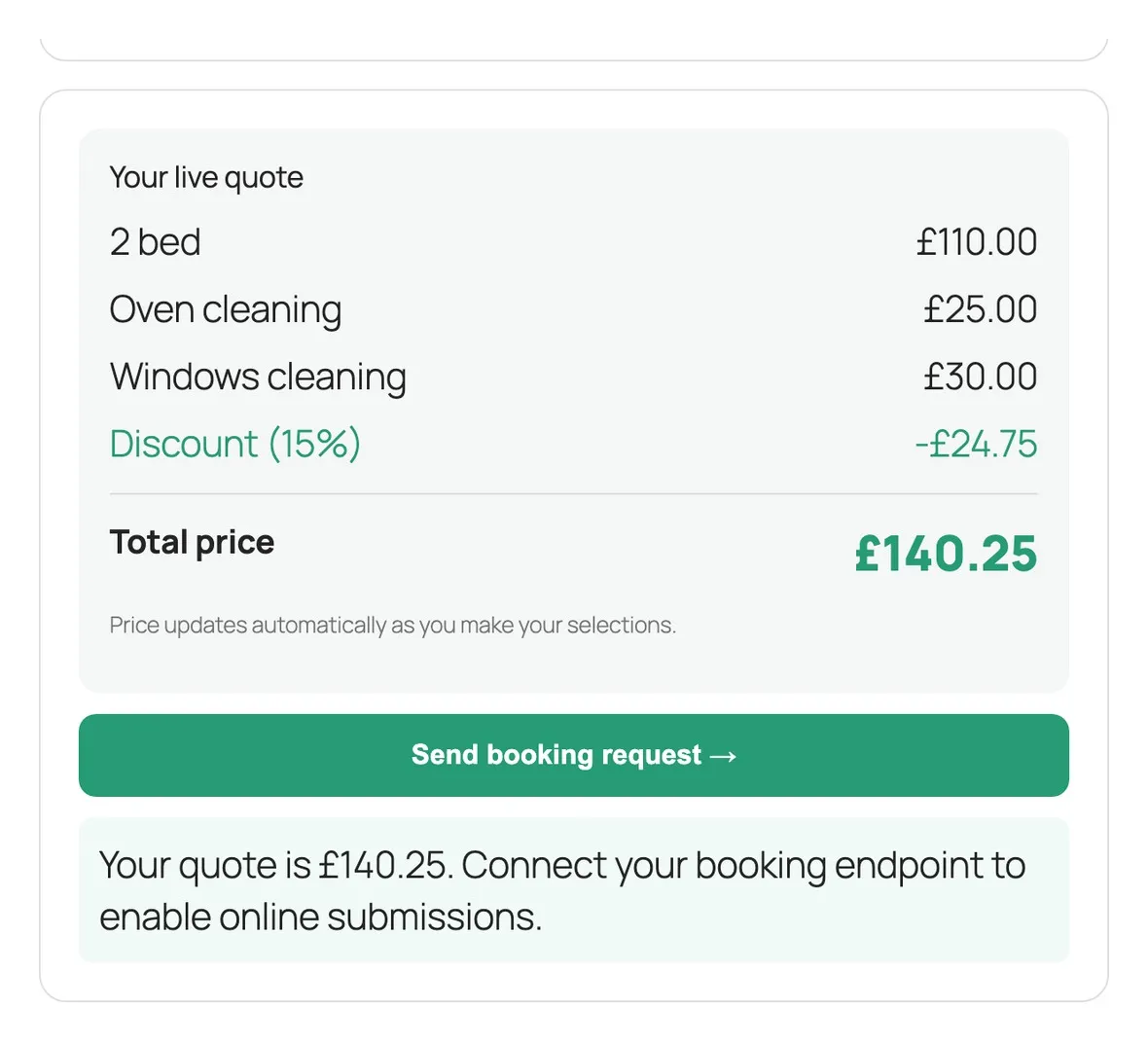
To be fair, it worked. The calculator showed up, the sums were right and it fitted a phone. You do need to be comfortable pasting 400 lines of code into your site.
Then we used it like a visitor. Pick a date and you read “Availability needs to be checked by the booking server.” Press send and you read “Connect your booking endpoint to enable online submissions.” Nothing is sent.
Host it, serve it
Then came the homework
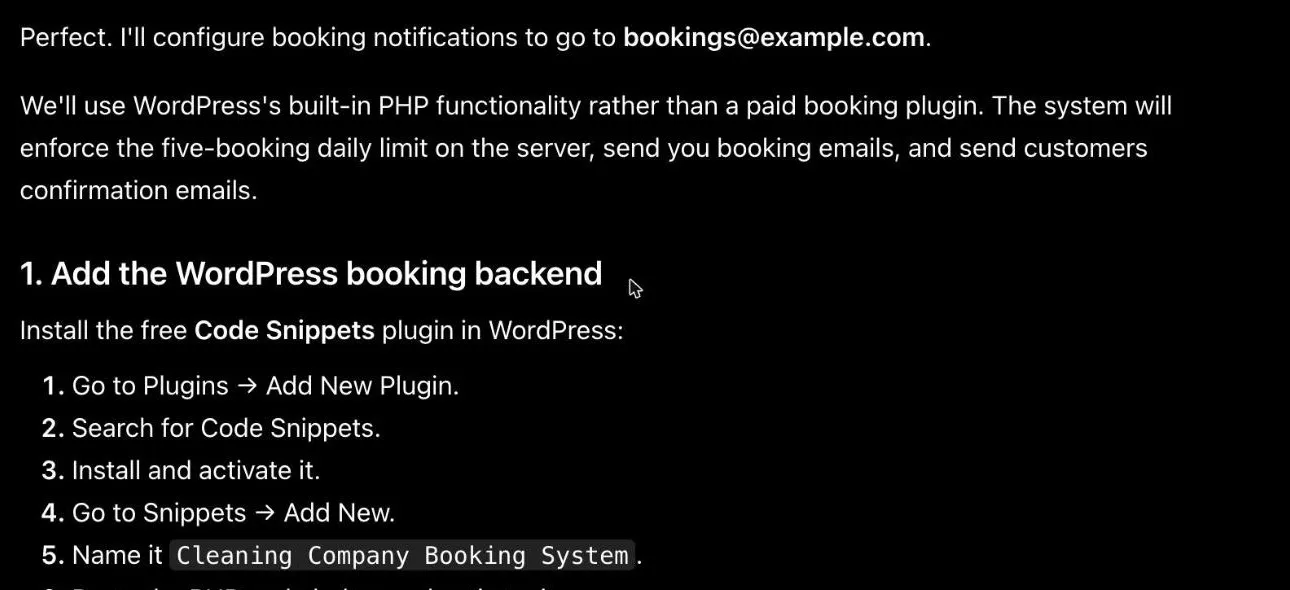
So we asked it to make the bookings work. It asked how we wanted to receive them. Then which email address. On its fourth reply it gave us the job:
- Install a code snippets plugin.
- Paste in 333 lines of PHP that create a booking table and a server address.
- Edit the calculator’s script to point at it.
- Set up reliable email delivery.
- Test it.
Every line of that is yours to keep working from then on. When a price changes, you are back in the code.
We said that was a lot, and asked if it could publish the thing for us with ChatGPT’s own Sites feature. It said it could not publish to a Sites account for us, and that saving bookings and holding a daily limit would still need a hosted data service.
Same sentence
Widgeteer built the working one
About a minute for a calculator like this. Most forms take less. What came back was not a demo.
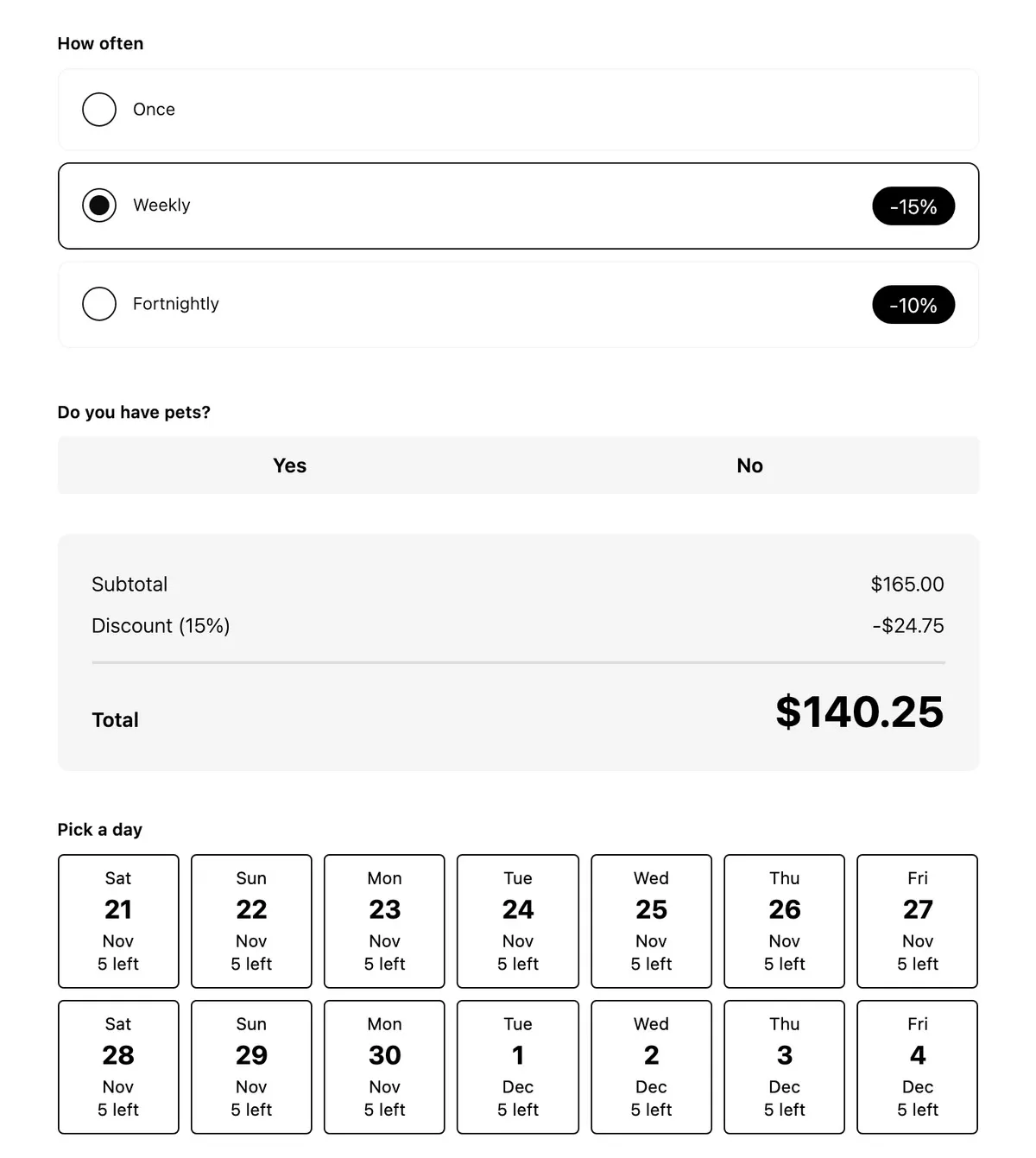
Same choices, same sum: subtotal 165.00, discount 24.75, total 140.25. The pets question appears for weekly. There is a day picker with the places left on each day. The button carries the total.
- Added. In WordPress you add the Widgeteer block and pick the widget. On any other site you paste two lines, once.
- Nothing to host. No code to look after, no plugin for snippets, no server to run.
- In your inbox. Click “Email owner” once. No mail plugin, no template to write.
- Kept. Every booking is saved and listed, whether the email arrives or not.
Easy on day two
Then you change it, yourself
Prices go up. You add a fourth home size. You decide six bookings a day is fine.
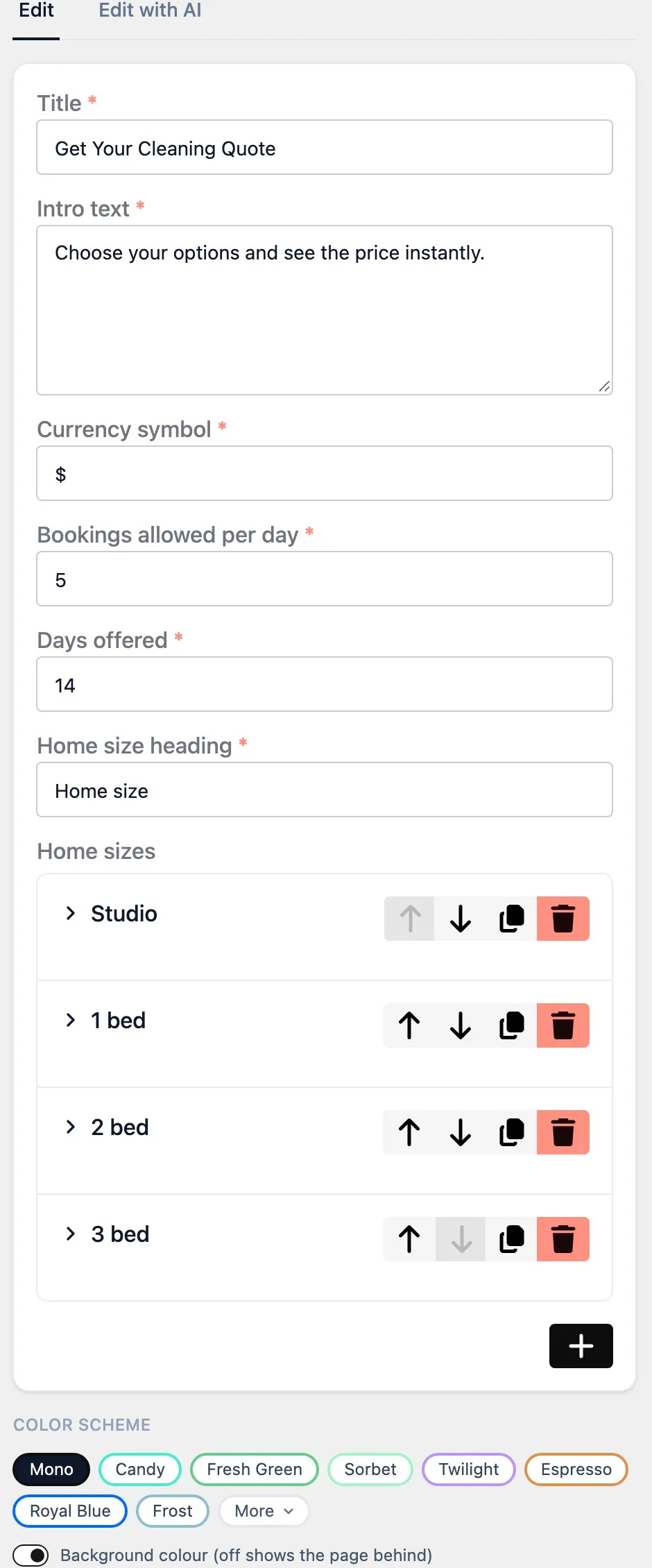
Next to every Widgeteer widget is an Edit panel written in your words, not in code. For this calculator it made its own settings: “Currency symbol”, “Bookings allowed per day”, “Days offered”, and a list of home sizes you can reorder, copy or delete. Change a number, watch the preview change, save.
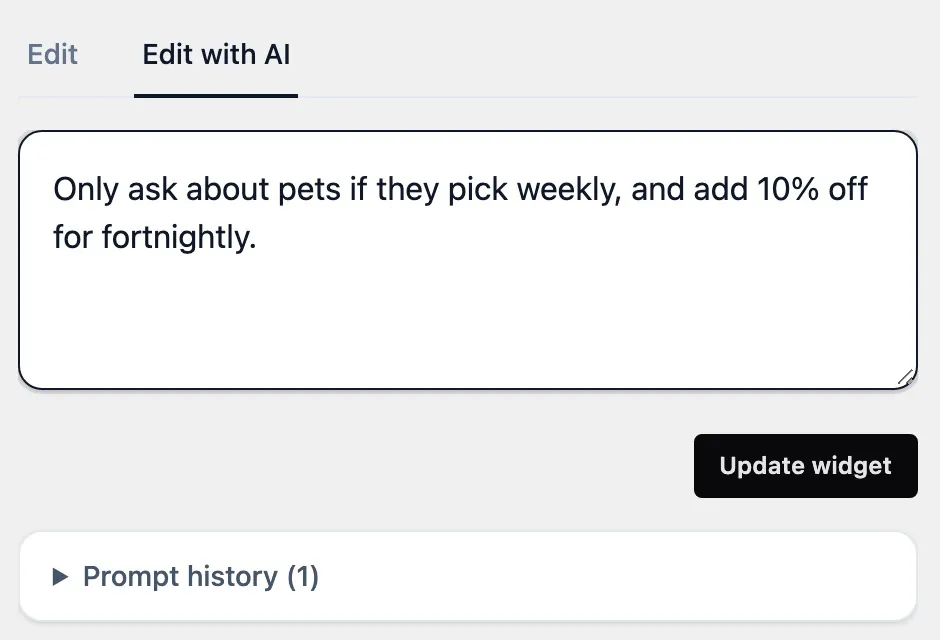
For anything bigger, ask. “Only ask about pets if they pick weekly, and add 10% off for fortnightly.” It rebuilds the widget and keeps the edits you made by hand.
The widget on your site updates itself. With ChatGPT, a change means going back to the chat, asking, checking the new version, and then replacing whatever you installed.
Make it yours
35 colour schemes, one tap each
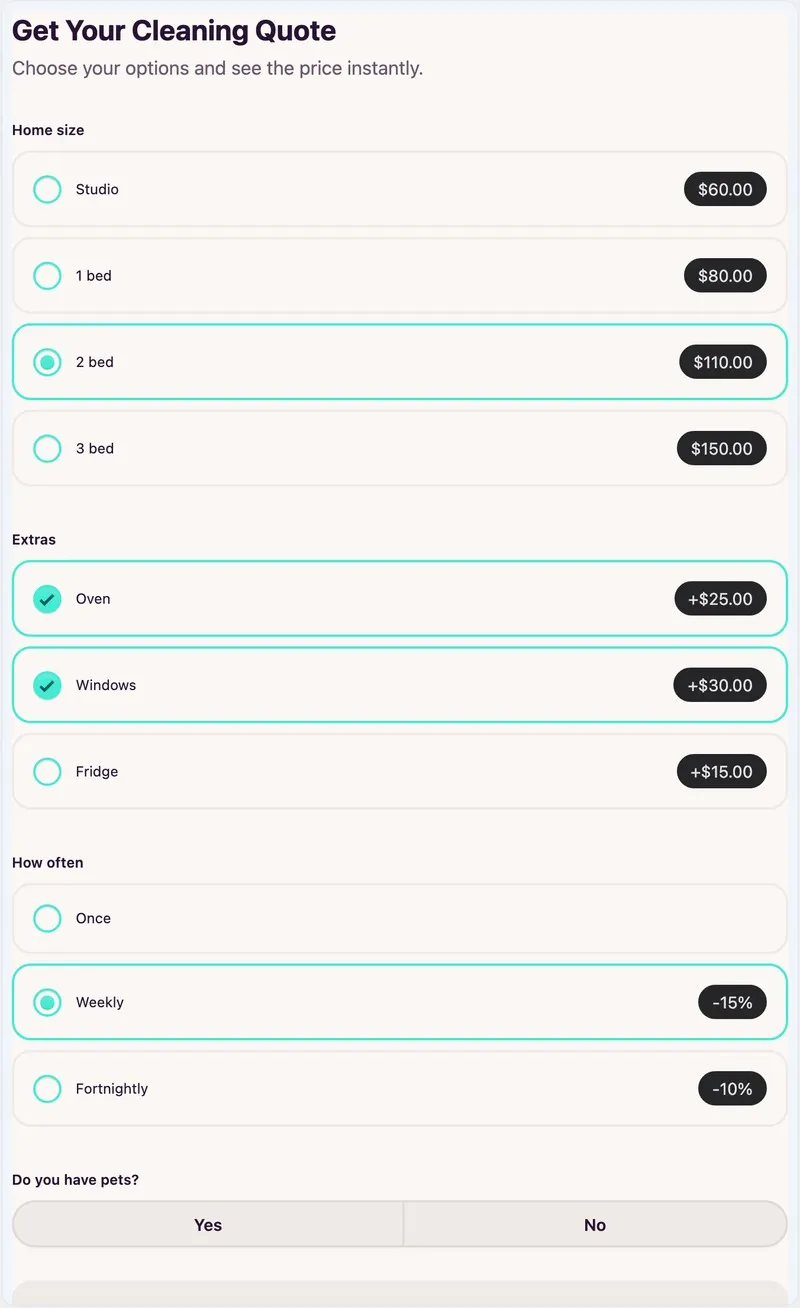
Tap a scheme and the whole widget changes: buttons, cards, totals, the lot. Tap another if you change your mind. A switch lets your own page’s background show through.
With pasted code, a new look means asking for a restyle and pasting it all in again.
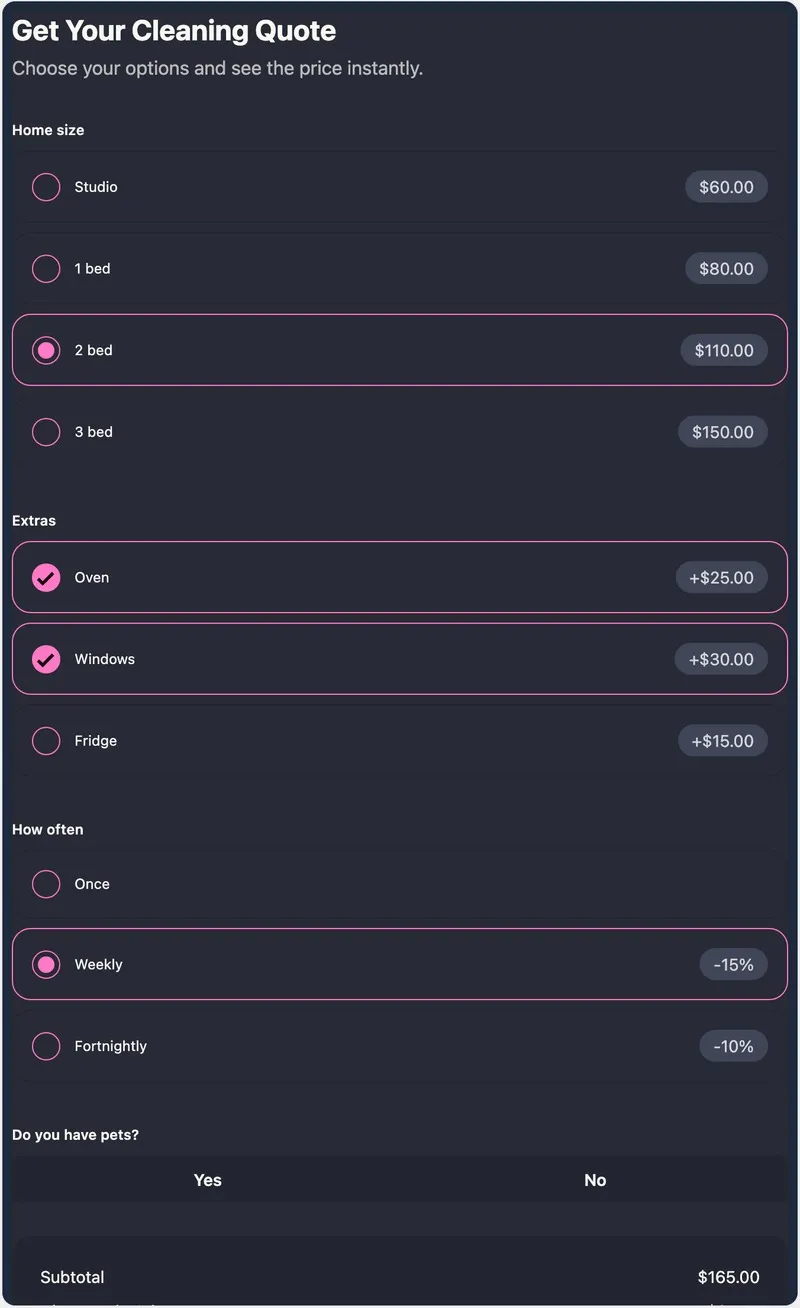
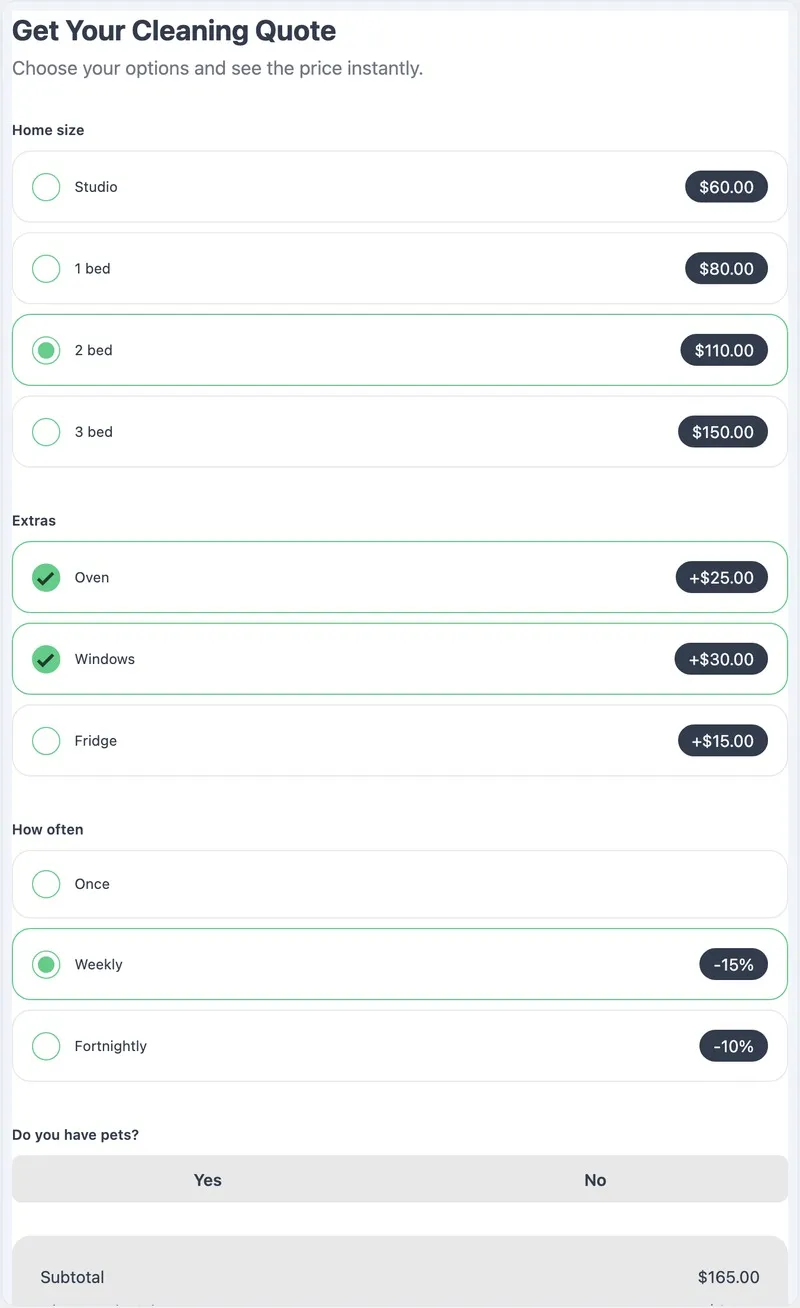
Side by side
What each one left us with
Same sentence, same choices, same day.
Which one
Pick the right one for the job
We ran the same sentence through Claude too. See how Claude did.
Pick ChatGPT if
- You want a quick mock-up to show someone.
- You have a developer who will build and host the server side anyway.
- You need a file upload. Widgeteer cannot take uploads yet.
- You pay for ChatGPT. Paid plans are reported to include a feature called Sites, which can publish what it builds. We have not tested it, so nothing here is about it.
Pick Widgeteer if
- It has to work on your own site, for your own visitors.
- Bookings should land in your inbox and be kept.
- You will change prices, wording and colours yourself later.
- You are the developer, the web person and the owner.
How we tested
ChatGPT was the free version, not logged in, in Chrome, on 20 November 2026. We ran the sentence twice. The first run gave the calculator and a plan. In the second we asked for the code, answered its two questions, and asked about Sites, five messages from us in all. The screenshots are from the second run.
We put its code, unchanged, in a Custom HTML block on a local WordPress site with the Twenty Twenty-Five theme, signed in as an administrator. We did not install the server code it gave us. One theme and one run, so yours may behave differently.
Widgeteer’s calculator was built from the same sentence in the WordPress plugin on 17 November 2026 and checked again on the 20th. The Widgeteer time is its usual build time for this kind of widget, not a stopwatch reading from our test. Both tools change often, so your result may differ from ours.
Not in the table
What every Widgeteer widget comes with
No key to find, no password to remember and no server to run. These are part of every widget, on the free plan too.
Spam kept out, nothing to tick
Every submission passes a hidden check before it is saved or sent. No captcha keys for you, no puzzle for your visitors.
Email you can reply to
We send the email, so there is no mail plugin to set up. Hit Reply and it goes to the person who filled it in.
Send it anywhere
Email, Zapier, Make, n8n, Power Automate, IFTTT, Airtable, Telegram and Formspark are built in. A webhook reaches any other tool.
Every submission kept
Saved even when a delivery fails, with whether it was delivered, every answer and the page it came from.
Widgets that remember
One booking per slot, one vote per person, places that run out. The count is checked on our side, not in the visitor's browser.
Your theme cannot break it
Each widget is sealed off from your site's styles, so it looks the same on any theme. Save a change and your site shows it, with nothing to paste again.
35 colour schemes
One tap to change the look, and a switch to let your page's own background show through.
Ask in your own language
Write in the language you work in. The widget's wording comes back in that language.
Far more than forms
Calculators, quizzes, polls, countdowns, spin wheels, before and after sliders, pricing tables, FAQs and bookings. Start from a ready one if you like.
Say it. See it. Sorted.
Products change. If something here is out of date or unfair to ChatGPT, tell us at hello@widgeteer.ai and we will fix it.
More comparisons
- Widgeteer vs ClaudeClaude builds it for you. Widgeteer builds it for your visitors.
- Widgeteer vs Fluent FormsFluent Forms drafts it fast. Widgeteer gets it sorted.
- Widgeteer vs Bit FormBit Form hands you the controls. Widgeteer hands you the form.
- Fluent Forms vs Bit FormFluent Forms drafts it. Bit Form makes you build it.
- Widgeteer vs ElfsightElfsight builds the calculator. Widgeteer takes the booking.